Best AI Tools for eBay and Poshmark Sellers Who Need Model Photos Fast (2026)
Published August 11, 2026 · OutfitGen Team
The best AI tools for eBay and Poshmark sellers create model-style photos quickly enough to keep listings moving. For small batches, speed matters; for large closets, consistency matters more.
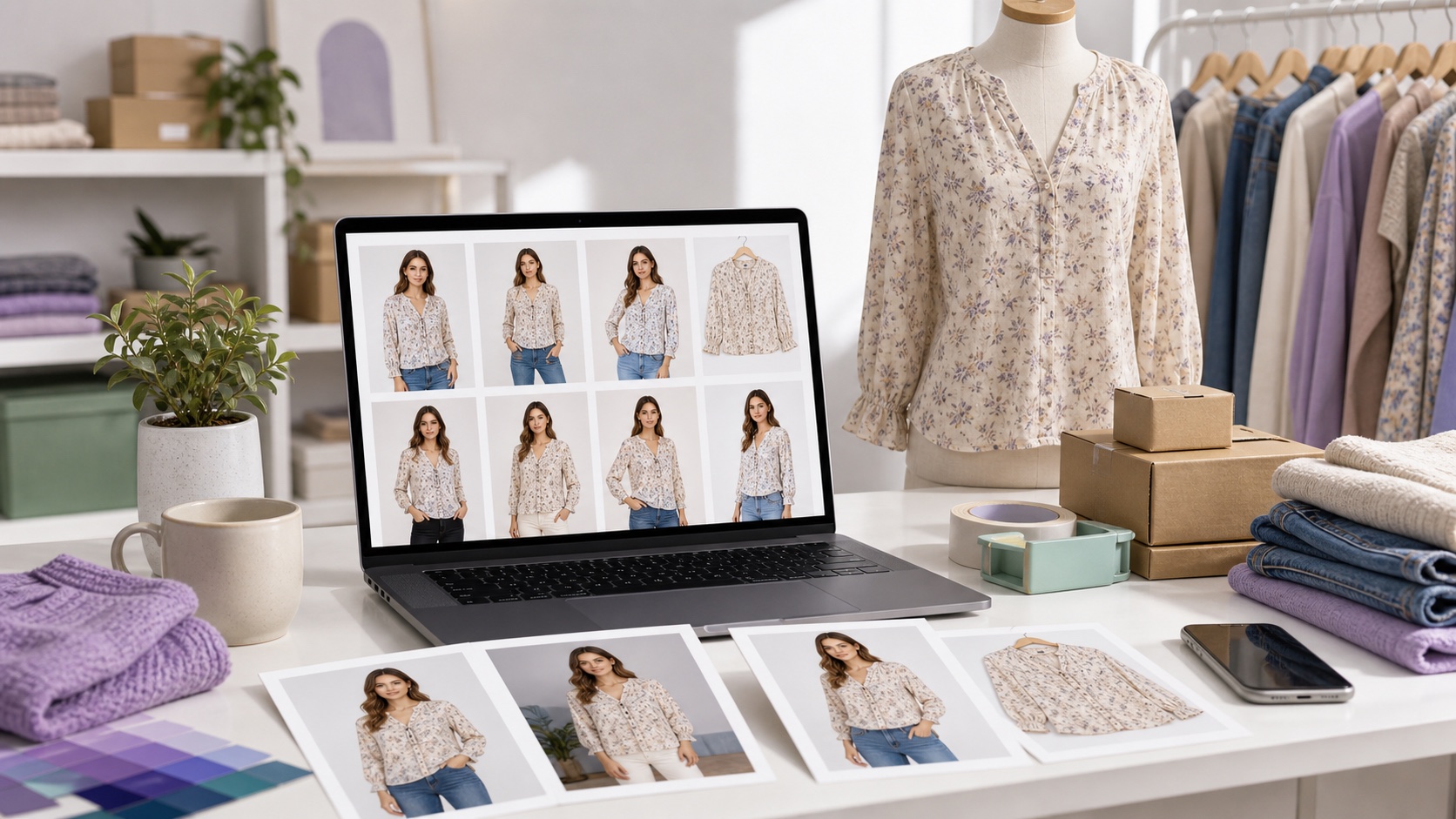
Comparison: fast model-photo tools for sellers (2026)
| Tool | Speed | Batch | Free to start | Best for |
|---|---|---|---|---|
| OutfitGen | Seconds/image | No | Yes, no signup | Fast single-item shots |
| WearView | Fast | Yes | Free credits | Consistent catalogs |
| Vmake | Fast (batch) | Yes | Free credits | High-volume across models |
| FASHN | Fast | Some | free credits | Testing on-model output |
Confirm current features and pricing on each site.
Why sellers need model photos fast
On eBay and Poshmark, listings with on-model photos look more professional and help buyers picture fit - but booking models and photographers is slow and expensive for high-volume sellers. AI removes that bottleneck: you turn a plain garment photo into a model-style image in seconds, list faster, and keep a consistent look across inventory.
The tools, explained
1. OutfitGen - fastest and free to start
OutfitGen is fashion-first and generates realistic on-model and restyled clothing images from a text prompt in seconds. It is free to test, then uses low-cost credits, which fits sellers who need a few strong listing shots before investing in batch tooling. Best for: getting a few professional shots fast and cheap. Limitation: one image at a time; weakest with multiple people per photo.
2. WearView - consistent catalogs
WearView combines clothing swap, model swap, and flat-lay-to-model with consistent model identity. Best for: a uniform look across many listings. Limitation: more setup than a quick single-shot tool.
3. Vmake - batch across models
Vmake composites a garment onto preset AI models and can batch the same garment across several models at once. Best for: high-volume sellers. Limitation: preset models mean less bespoke styling.
4. FASHN - free credits to test
FASHN offers catalog try-on with free credits. Best for: trying on-model output before paying. Limitation: seller-oriented, less suited to casual one-offs.
5. Photoroom - listing polish and background cleanup
Photoroom is strongest when the seller photo needs clean product presentation around the garment, such as background removal, replacement, and listing-ready polish. Best for: sellers who already have a usable garment or model image and need a cleaner listing visual. Limitation: it is broader product-photo software rather than a dedicated model-photo generator.
Fast listing workflow for resale sellers
- Batch your garment photos on a plain background with even lighting.
- Upload one to AI Product Photography (or WearView/Vmake for batch).
- Reuse a consistent prompt ("on a model, neutral studio background").
- Generate, pick the best, download, and move to the next.
- Keep the same style so listings look like one cohesive shop.
What makes a model photo useful on resale marketplaces
A useful model photo does not just look attractive. It helps the buyer understand fit, scale, fabric, and styling. For eBay and Poshmark sellers, that means the AI image should support the real product, not replace product accuracy. If the tool changes sleeve length, invents details, or shifts color too far, the listing may look better but become less trustworthy.
The best AI model-photo workflow pairs an on-model image with simple product photos. Use the AI image to show how the item can look when worn. Use flat-lay, hanger, label, and detail shots to show the actual item being sold. This combination gives buyers both inspiration and proof.
For resale, consistency helps too. A closet with the same crop, background, and lighting looks more professional than a mix of dark hallway photos and random outdoor shots. AI can help standardize that presentation quickly, especially when the seller already has a backlog of garments to list.
A closet-batching workflow that stays practical
Start by photographing a group of items in one session. Use the same wall, hanger, window light, and camera distance. Name the files by item so you do not lose track later. Then process the strongest candidates first: jackets, dresses, denim, and pieces where fit matters most.
For single items, use OutfitGen and a repeatable prompt such as "on a model, neutral studio background, realistic fit, keep garment color accurate." Download the result, compare it with the product photo, and list only if the garment facts are preserved.
For larger closets, test a batch-capable option like WearView or Vmake with a small sample before committing. Check whether the same model identity, crop, and background remain stable across different garments. If the results vary too much, the closet grid may still look inconsistent.
Prompt templates for eBay and Poshmark listings
| Listing type | Prompt template |
|---|---|
| Dress | "on a model, full-body catalog photo, neutral studio background, keep dress length and neckline accurate" |
| Jacket | "model wearing this jacket, natural fit, sleeves visible, clean light-gray background" |
| Denim | "on a model, straight-on photo, accurate denim color and cut, simple studio lighting" |
| Shoes or accessories | "clean product listing photo, neutral background, accurate color and texture" |
| Closet consistency | "same crop and neutral background as the other listing images, natural daylight" |
Use simple, literal prompts first. A resale listing is not the place to ask for dramatic runway lighting if the product is a used everyday jacket. Buyers need clarity more than fantasy.
Accuracy rules for seller trust
Never use an AI result that changes the condition of the item. If the garment has fading, distressing, missing buttons, or a unique pattern, show the actual details in the listing. AI can clean presentation, but it should not hide defects or create a different product.
Be careful with size and fit. AI model photos can suggest how a garment might look, but they are not a substitute for measurements. Include actual measurements and condition notes, especially on eBay where buyers often compare sizing carefully. On Poshmark, include fit notes if the image is styled or AI-assisted.
Avoid brand marks you do not have the right to use. If the garment has a real logo or designer label, show it accurately in a detail photo. Do not ask AI to invent logos, tags, patches, or official graphics.
When a background-cleanup tool is enough
Not every listing needs an AI model. If the product photo already shows fit clearly, a background cleanup tool may be the better choice. Photoroom and similar editors help remove clutter, brighten images, and create a consistent product grid. Use model-photo tools when fit and styling matter; use cleanup tools when the main problem is messy presentation.
For shoes, bags, jewelry, and folded accessories, on-model generation may add less value than a clean product image. For dresses, coats, tops, and jeans, model-style images can help buyers imagine scale and shape.
Review checklist before publishing
Before you publish, compare the AI model photo with the real item. Check color, pattern, closures, sleeve length, neckline, and hem. Make sure the AI did not create a new fabric or remove wear. Then view the listing grid on mobile, because most marketplace browsing happens on small screens.
If the image looks good but misrepresents the item, skip it. A slightly simpler, more accurate image is better for seller trust than a polished but misleading one. AI should speed up listing, not create avoidable returns.
Mobile thumbnail rules for fast marketplaces
Most buyers will see the image first as a small mobile thumbnail. That thumbnail has to answer one question quickly: what is the item, and does it look worth tapping? If the AI image is too busy, too cropped, or too stylized, it may look nice at full size but fail in the feed.
Keep the garment large enough to read. Avoid backgrounds that compete with the item. Use a consistent crop across similar listings so the closet grid feels intentional. If you generate an on-model image, make sure the product is centered and not hidden by a pose.
After uploading, view the listing inside the marketplace app or mobile browser. Check whether color, cut, and category are obvious without zooming. If not, crop tighter or choose a simpler image.
Reducing returns and buyer confusion
AI model photos should reduce uncertainty, not create it. Include actual measurements, condition notes, and real product detail shots. If the AI image shows a garment on a model, buyers still need to know the actual size, fabric, stretch, and any flaws.
For Poshmark, styling can help buyers imagine the outfit, but clarity still wins. For eBay, where search intent can be more specific, factual detail is especially important. A strong listing pairs the AI model image with direct product evidence: tag, fabric close-up, front, back, and any defects.
If a buyer asks whether the model photo is the exact item, answer plainly. Do not imply a generated image is an untouched photo shoot. Trust is worth more than one slightly flashier listing.
When to skip AI for a listing
Skip AI when the product has important condition details that are hard to preserve: distressing, fading, rare embroidery, handmade alterations, or damage. Skip it when the item is highly branded and the generated image cannot represent marks accurately. Skip it when the only source photo is blurry or cropped.
Use AI where it adds fit and styling context. Use traditional photos where accuracy is the main value. The best sellers usually combine both rather than forcing every item through the same AI workflow.
A weekly seller workflow
A practical weekly rhythm is simple. Photograph new inventory in one session, generate AI model photos for the items where fit matters, crop and compress the accepted images, then list in batches. Keep a spreadsheet or folder note for items that need a reshoot, because weak source photos waste more time than they save.
Create a standard prompt for each category and reuse it. Dresses, jackets, jeans, and tops can each have a baseline prompt. This keeps the shop consistent and reduces decision fatigue. If a prompt works well, save it with the item category instead of rewriting from scratch.
At the end of the week, compare which listings got saves, offers, questions, or returns. If AI model photos help certain categories more than others, focus there. The goal is not to make every listing look identical; it is to spend editing time where it helps sales and buyer confidence.
Best fit and when to skip
This is for eBay and Poshmark resellers who need professional model-style photos quickly and cheaply. It's not for sellers needing deep marketplace API integration (edits are exported and uploaded manually).
FAQ
What's the fastest AI tool for eBay or Poshmark model photos?
OutfitGen is the fastest to start, generating on-model shots from a garment photo in seconds with no signup. WearView and Vmake are best for batch volume.
Can I get model photos without hiring a model?
Yes - these tools create a model-style image from your flat or plain garment photo.
Should every resale listing use an AI model photo?
No. Use AI model photos where fit and styling matter, such as dresses, jackets, tops, and denim. For accessories, shoes, or items with important condition details, a clean real product photo may be better.
When should I use WearView or Vmake instead of OutfitGen?
Use WearView or Vmake when batch processing and consistent model identity matter more than speed on a few individual listings.
Ready to try it yourself?
Get started with OutfitGen, 3 free generations, no sign-up required.
Try OutfitGen Free