How to Change Your Outfit in a Picture Without Reshooting (2026)
Published July 26, 2026 · OutfitGen Team
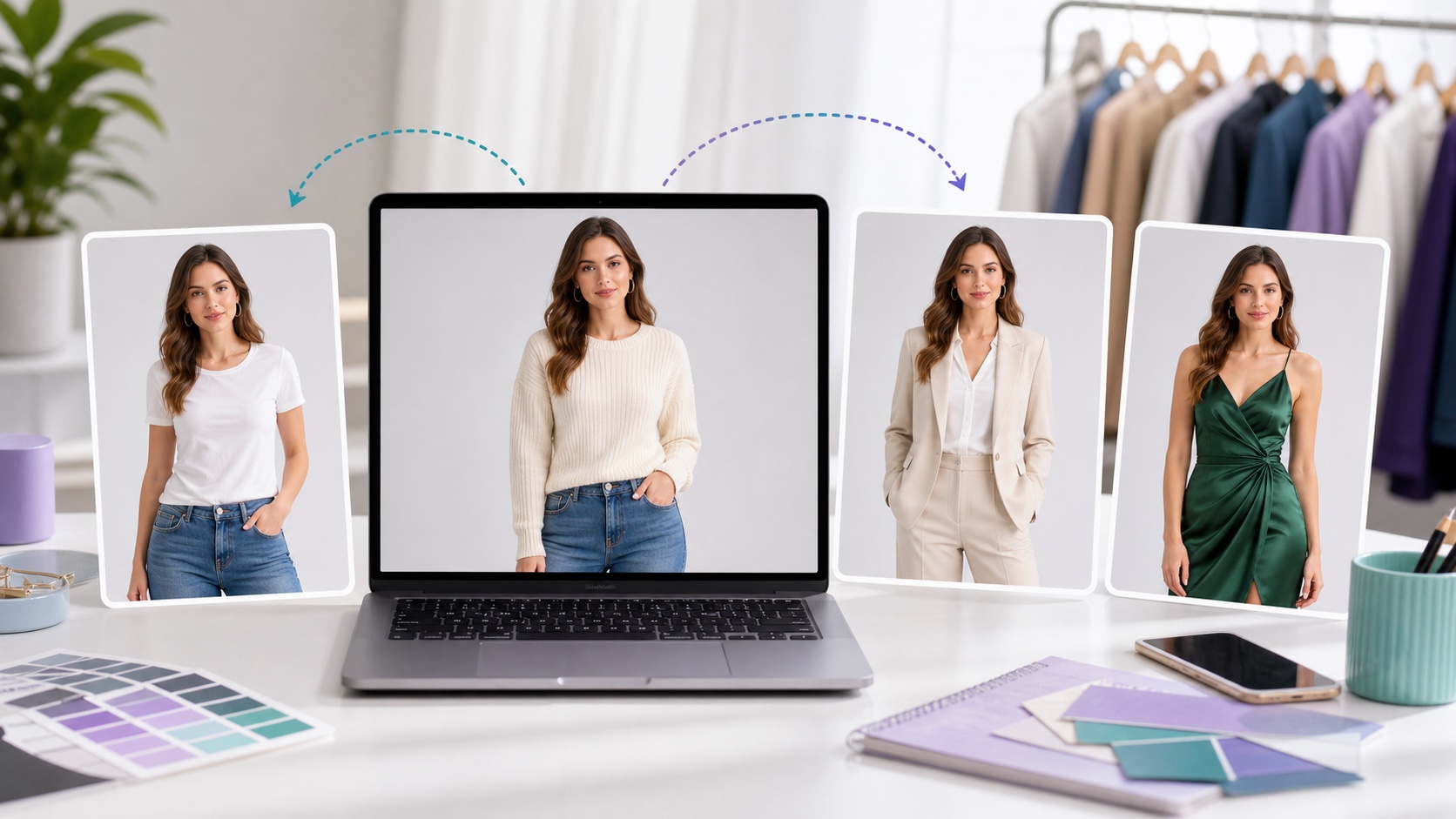
You can change your outfit in an existing picture without reshooting by using an AI clothes changer that edits only the clothing while keeping your face, pose, and background.
Good tools for this include OutfitGen (type-and-go, free no signup), Pincel (brush the garment, prompt the swap), Fotor (preset outfit styles), and EditThisPic (free, no account). All of them keep your original photo intact and change only the clothing.
Why you don't need to reshoot to change an outfit
Re-shooting means recreating the same lighting, pose, and location just to swap what you're wearing - wasteful when only the clothing needs to change. AI clothes changers edit the garment in place and preserve everything else, so one good photo can become many outfits. This saves the time, cost, and setup of a second shoot.
What stays the same and what changes
| Kept from your original | Changed by the AI |
|---|---|
| Face and identity | The outfit / clothing |
| Pose and body position | Optionally the style or background |
| Lighting and angle | - |
| Background (unless you ask) | - |
No-reshoot outfit workflow
- Choose your existing photo - ideally well-lit with one clear subject.
- Upload it to the AI Clothes Changer (or Pincel/Fotor/EditThisPic).
- Type the outfit you want ("black turtleneck and jeans," "red gown").
- Generate - only the clothing changes; your pose and face stay.
- Try a few variations from the same photo, then download.
Which tool for which need?
- Fastest, simplest, free: OutfitGen - type it and go.
- Precise control over one garment: Pincel - brush only that item.
- Outfit change plus general editing: Fotor.
- Quick free one-off, no account: EditThisPic.
When a reshoot is still worth it (honest note)
If your original photo is blurry, poorly lit, or has multiple people crowded together, AI results will be weaker and a fresh single-subject photo will give better output. For a clear, well-lit solo shot, no reshoot is needed - the AI has enough to work with.
Good source photos and bad fits
This is for anyone with one good photo who wants multiple outfit versions - creators, sellers, and everyday users. It's not ideal when the base photo is low quality or contains several overlapping people.
FAQ
Can I change my clothes in a photo without taking a new one?
Yes. An AI clothes changer like OutfitGen edits only the outfit and keeps your original pose, face, and background.
Which tools can change an outfit without reshooting?
OutfitGen, Pincel, Fotor, and EditThisPic all edit clothing in an existing photo.
Will my face and pose stay the same?
Yes - good tools change only the clothing, leaving identity and pose intact.
Can I make several outfits from one photo?
Yes. You can generate multiple outfit variations from a single upload.
Ready to try it yourself?
Get started with OutfitGen. Your first edit is free, no sign-up required.
Try OutfitGen Free