Photoshop vs AI Clothes Changer: Which Is Better If You're Not a Designer? (2026)
Published July 20, 2026 · OutfitGen Team
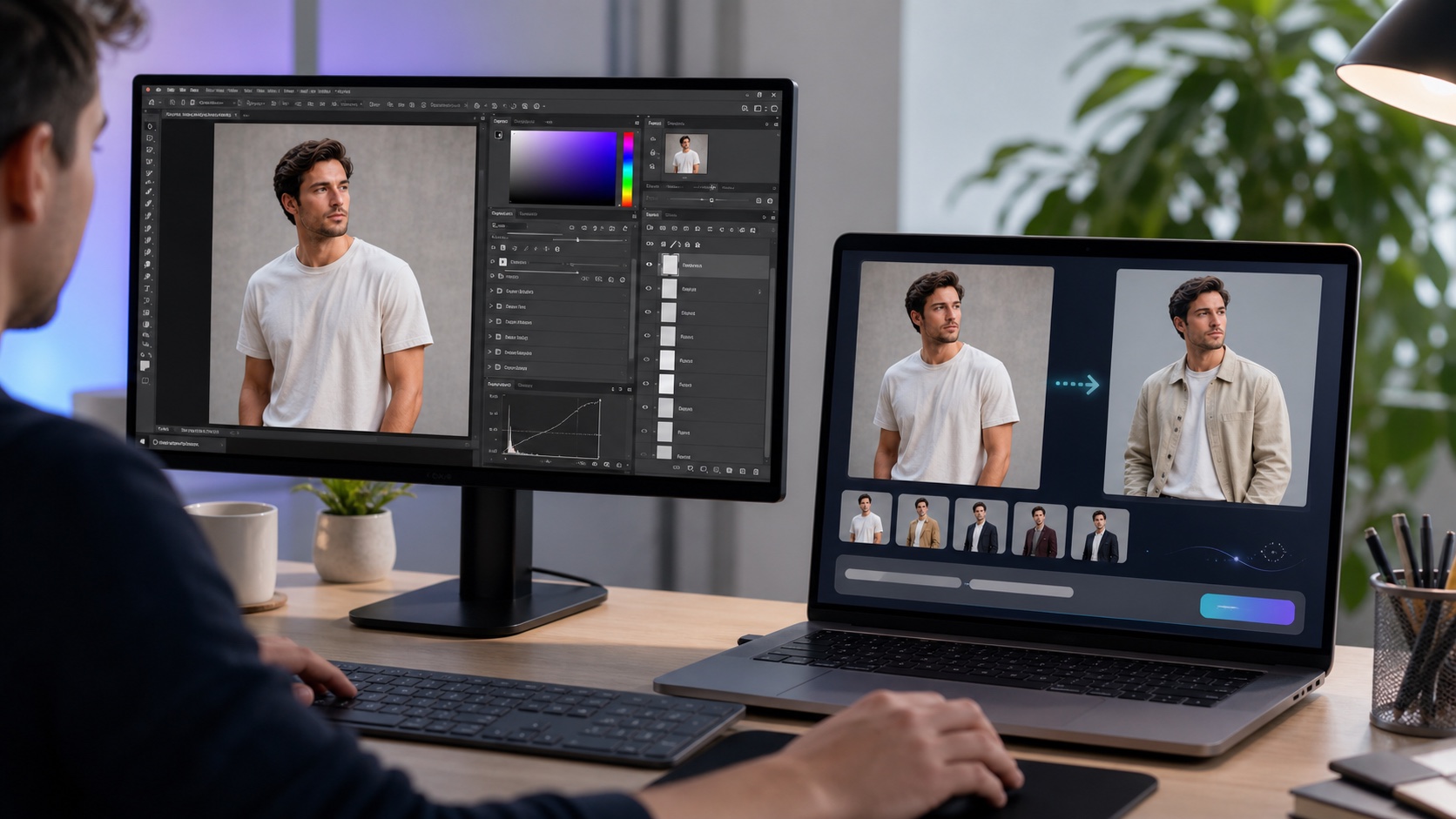
The core difference for non-designers
Photoshop gives you total manual control, which is powerful but useless if you don't know the tools. AI clothes changers hide the complexity: you describe the outcome and the model does the editing. For someone without design training, the AI route removes the entire learning curve that stops most people from using Photoshop at all.
Photoshop vs AI clothes changer (2026)
| Factor | Photoshop | AI clothes changer (OutfitGen) |
|---|---|---|
| Skill required | High | None - type your request |
| Time to first result | Hours (learning) + minutes per edit | Seconds |
| Cost | Paid subscription | Free to try, then low-cost credits |
| Realism of outfit swap | Depends on your skill | Consistent, model-driven |
| Manual pixel control | Full | Limited |
| Multi-person scenes | Strong | Weak |
| Best user | Trained designer | Non-designer |
Confirm current Photoshop pricing on adobe.com.
When the AI clothes changer wins
For non-designers who just want a realistic outfit change fast, AI wins on every practical axis: no learning curve, seconds per edit, lower cost, and no install. OutfitGen is fashion-first and interprets plain-language requests, so "put me in a tailored gray suit" is all you type. It is free to test before signup, and alternatives like EditThisPic and Fotor are similarly beginner-friendly.
What the Photoshop workflow actually requires
A convincing manual outfit change in Photoshop usually needs several separate skills. First, you select or mask the clothing area without cutting into the neck, hair, hands, or background. Then you either composite a new garment from another image or use a generative tool to create one. After that, you match color, contrast, shadows, texture, and perspective so the new clothing sits on the body.
For a trained editor, that control is useful. For a non-designer, each step creates a place to get stuck. A rough mask creates a jagged collar. A mismatched source garment creates strange folds. Overdone color correction makes the clothing look pasted on. Even if the final image is possible, the path is not beginner-friendly.
This is the main reason AI clothes changers feel so different. The user does not need to understand the construction of the edit. They only need to describe the outcome. The model handles the garment generation, lighting match, and fabric placement in one pass.
Time, cost, and learning curve
The practical gap is bigger than the feature list suggests. Photoshop can do more overall, but the question for a non-designer is how long it takes to get one acceptable outfit edit.
| Scenario | Photoshop path | AI clothes changer path |
|---|---|---|
| First-ever outfit edit | Learn selections, masks, layers, and retouching | Upload, type the outfit, generate |
| One profile photo | Often 30-90 minutes for a beginner | Usually seconds per generation |
| Ten listing photos | Manual work repeats on every image | Repeat the prompt and select results |
| Precise seam cleanup | Strong if you know the tools | Limited, or use a manual editor after |
| Multi-person group photo | Better manual control | Less reliable |
Photoshop's subscription can make sense if you use it for many design tasks. If you only need outfit swaps, paying and learning it just for this use case is usually inefficient. An AI clothes changer lets you test the result first, then decide whether the image is worth any manual cleanup.
Example beginner workflows
For a social profile photo, start with AI. Upload one clear portrait, prompt for the outfit, and generate several options. Pick the one where your face, body angle, and background remain closest to the original. You probably do not need Photoshop at all unless a collar or cuff needs a tiny fix.
For a resale listing, AI is still the starting point. Use a clean garment or model photo, prompt for a neutral on-model look, and keep the background simple. If the listing is a hero image for a high-value item, you can finish in Photopea or Photoshop by cropping, cleaning a small artifact, or adjusting exposure.
For a complex ad composite, Photoshop can be the better main tool. If the image combines several people, props, text, and a specific layout, manual control matters. AI can still help create clothing variants, but the final assembly belongs in a design editor.
How to choose without overthinking it
Choose an AI clothes changer when the output is judged by realism and speed: profile photos, creator posts, marketplace listings, catalog tests, and quick outfit planning. Choose Photoshop when the output is judged by exact control: ad layouts, multi-image composites, heavy retouching, or client work with detailed revision notes.
If you are unsure, run the AI version first. A fast generation gives you a working image and a reference. If it is good enough, you are done. If it is close but not perfect, you can decide whether a manual cleanup pass is worth the time.
Mistakes beginners make with both options
The biggest Photoshop mistake is starting with too difficult a photo. Hair over clothing, crossed arms, dark lighting, and busy backgrounds make manual masking harder. The biggest AI mistake is asking for too much at once. Keep the source photo stable and change the outfit first.
Another common AI mistake is prompting like a search query instead of a garment description. "Make me look rich" is vague and can change the whole image. "Tailored charcoal wool suit, white shirt, same pose, same lighting" is more reliable.
The final mistake is chasing a perfect first result. AI editing is fast because you can generate variations. Treat the first result as a draft, then refine the prompt or pick a better variation. That is still faster than learning a full manual retouching workflow.
Decision matrix by job
The easiest way to choose is to start with the job, not the tool.
| Job | Better first choice | Why |
|---|---|---|
| Change a profile outfit | AI clothes changer | Fast, simple, realistic enough for one portrait |
| Make resale listing images | AI clothes changer | Speeds up repeated product-style edits |
| Clean a tiny seam artifact | Photoshop or Photopea | Manual brush and clone tools are precise |
| Build a multi-image ad layout | Photoshop | Layers, type, layout, and compositing matter |
| Try ten outfit ideas | AI clothes changer | Iteration is the point |
| Edit a group photo | Photoshop | More control around overlapping people |
This matrix is not about which tool is more powerful. Photoshop is more powerful overall. The question is which tool gets a non-designer to a useful result with the least friction. For outfit-only edits on a single person, that is usually AI.
What to try first if you are unsure
Start with the simplest AI version. Upload the photo, ask for one clear outfit, and check whether the face, pose, and background stay consistent. If the result is good, you saved yourself a manual edit. If it is close, decide whether a second prompt or a manual cleanup pass is faster.
If the AI result fails repeatedly because of overlapping hands, hair, or multiple people, then Photoshop or Photopea may be worth using. At that point, the problem is not the outfit idea; it is the image structure. Manual tools are better at local corrections when the scene is complicated.
For non-designers, this sequence is practical: AI first, manual editor only when needed. It keeps the difficult tool out of the workflow until there is a specific reason to use it.
Output quality: what "good enough" means
For a social post, good enough means the outfit looks natural and the person still looks like themselves. For a marketplace listing, good enough also means the garment is accurate. For a client or ad, good enough may require a manual review at full resolution.
Photoshop gives you the ability to chase perfection, but it also lets you spend too long on details no one will notice. AI gives you fast drafts and several options. The right standard depends on where the image will appear and what risk a mistake creates.
If the image is temporary, such as a story post or outfit idea, AI output is usually enough. If the image affects a sale or brand campaign, use AI for speed and add a final human review.
The simplest recommendation
If your main sentence is "I want to change what I am wearing in this photo," start with AI. If your main sentence is "I need to control every layer, mask, shadow, and final pixel," use Photoshop. Most non-designers are in the first group, and they should not force themselves into a professional editing workflow just to try one outfit idea.
The path can still grow with your needs. Start in OutfitGen or another AI clothes changer, save the best result, and only open a manual editor when there is a specific flaw to correct. That keeps the hard tool reserved for the hard part.
When Photoshop is still the better choice
Photoshop wins when you need exact manual control - compositing multiple images, fixing individual pixels, or art-directing every seam and shadow. It also handles multi-person scenes better than most AI tools. If you're a professional retoucher, or willing to invest weeks learning it, Photoshop's ceiling is higher. A free middle ground is Photopea, which mirrors Photoshop's manual workflow at no cost - but it has the same learning curve.
A practical hybrid workflow
Many people use both: run a fast AI outfit change in OutfitGen to get 90% of the way there, then, if needed, open the result in Photoshop or Photopea for a small manual fix (a stray seam, a color tweak). This gives non-designers a realistic result quickly while leaving the door open for precise finishing.
Best fit for non-designers
This comparison favors AI for non-designers, sellers, and creators who value speed and simplicity. Choose Photoshop instead if you're a trained designer who needs manual control or routinely edits complex multi-person composites.
FAQ
Is an AI clothes changer better than Photoshop for beginners?
Yes. For changing outfits without design skills, AI tools like OutfitGen are faster and far easier than Photoshop.
Can I get Photoshop-quality results without Photoshop?
For outfit swaps on single subjects, modern AI models produce realistic results without any manual editing.
Is Photoshop ever the better option?
Yes - for pixel-level manual control, complex compositing, and multi-person scenes. Photopea is a free manual alternative if you want that control without paying.
Which AI clothes changers are easiest for non-designers?
OutfitGen, EditThisPic, and Fotor are the most beginner-friendly.
Ready to try it yourself?
Get started with OutfitGen. Your first edit is free, no sign-up required.
Try OutfitGen Free