Best AI Tools to Turn Soccer Jersey Photos Into Pro Shots (World Cup 2026)
Published July 24, 2026 · OutfitGen Team
AI tools can turn a normal soccer fan photo into a cleaner jersey portrait by changing the shirt, improving the presentation, and keeping the person's face recognizable.
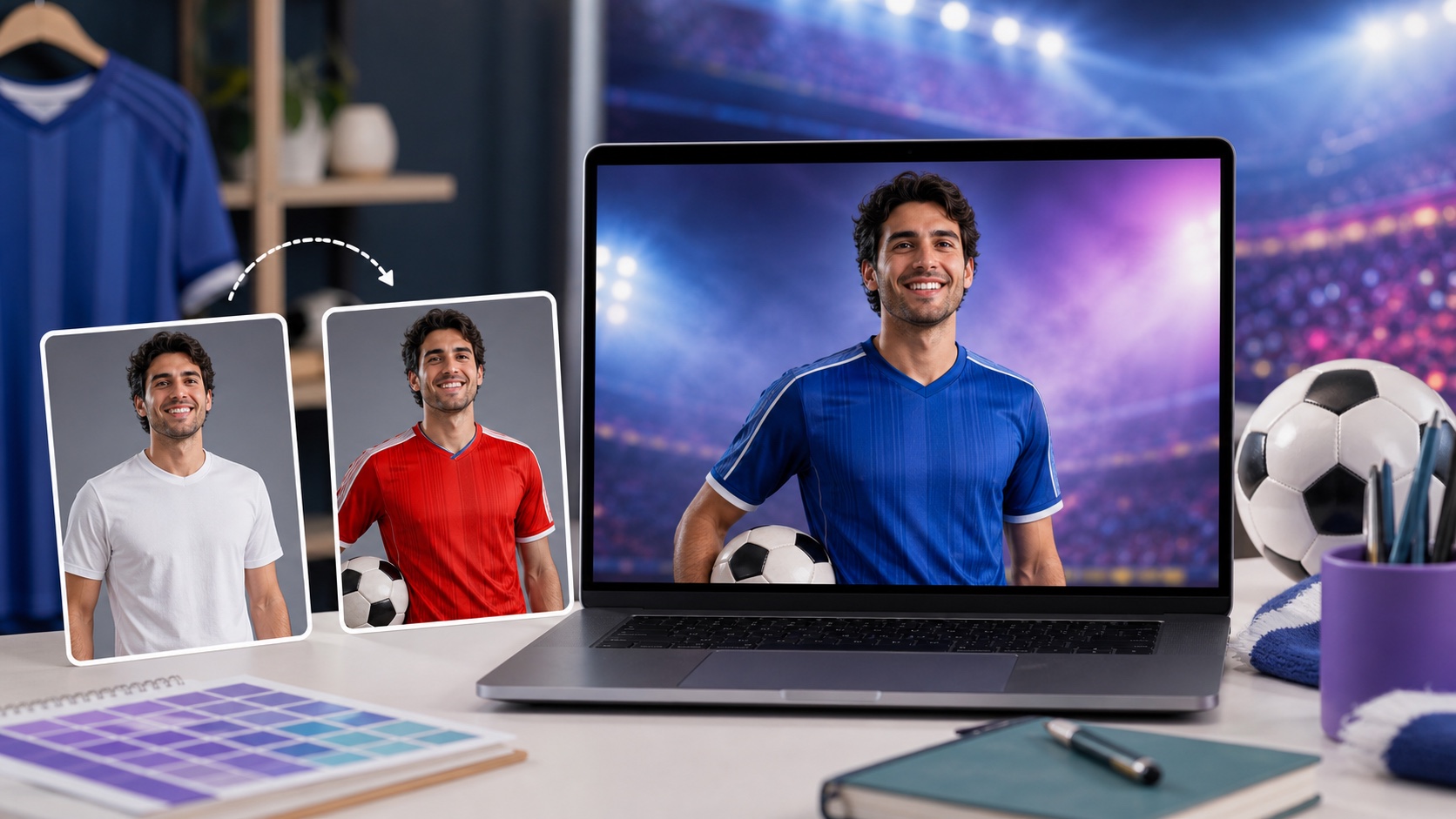
Comparison: jersey-photo AI tools (2026)
| Tool | Best for | How it works | Free to start |
|---|---|---|---|
| OutfitGen | Fast realistic kit swaps | Type the jersey | Yes, no signup |
| Pincel | Precise control | Brush + prompt the top | Free trial |
| EditThisPic | Quick free one-offs | Describe the jersey | Yes, no account |
Pixelcut - sports edit workflow
Pixelcut is useful when you want a sports-edit workflow around the jersey image, including mobile-friendly editing and quick social assets. Best for: jersey-swap style edits where the image is one part of a broader sports graphic. Limitation: it is not as focused on soccer-specific personal try-on as OutfitGen.
Kapwing - jersey images inside social content
Kapwing is useful when the jersey photo needs to become a meme, video, or captioned social post. Best for: creators building the jersey image into a larger match-day asset. Limitation: it is a creative suite, not a dedicated identity-preserving try-on tool.
Why AI is perfect for jersey and fan photos
Fans want to see themselves in their team's kit without owning every jersey - and AI makes that instant. Instead of buying a shirt and staging a shoot, you upload a normal photo, type the team or jersey you want, and the AI puts you in it realistically. It's fast, cheap, and shareable - exactly what social posting during a tournament calls for.
What you can do with jersey photos
| Goal | How AI helps |
|---|---|
| Wear your team's World Cup kit | Generate the jersey on your existing photo |
| Try multiple teams | Swap kits from the same photo in seconds |
| Make a casual photo look pro | Clean lighting and a styled look via prompt |
| Post fast during matches | Seconds per edit, ready to share |
Match-day jersey workflow
- Pick a clear, well-lit photo of yourself (single subject works best).
- Upload it to the AI Jersey Swap.
- Type the jersey you want ("national team home kit, 2026 style, clean studio look").
- Generate, try a few teams or angles, and download your favorite.
- Share it for the match or tournament.
Prompting jersey photos without messy results
Jersey prompts work best when they describe colors, cut, and material instead of asking the AI to copy a busy official shirt exactly. A prompt like "blue soccer jersey with white trim, realistic athletic fabric, no logo" is usually cleaner than a prompt packed with sponsor names, federation crests, and tiny details. The model can render fabric and color well, but small official marks are where errors and rights issues appear.
If you want a national-team inspired look, describe the visual direction: "yellow jersey with green trim," "white shirt with a red diagonal sash," or "sky blue and white vertical stripes." Add "no crest, no sponsor, no readable text" when the image is for public posting or commercial use. This keeps the result generic and easier to share safely.
For realism, name the material. "Breathable soccer jersey fabric" or "subtle mesh athletic fabric" tells the model how the shirt should reflect light. Add "same face, same pose, same background" if your first result changes too much of the original photo.
Prompt examples for World Cup-style fan posts
| Goal | Prompt |
|---|---|
| Generic team-color look | "blue soccer jersey with white trim, realistic athletic fabric, no logos, same pose" |
| Match-day portrait | "red soccer jersey, clean stadium-inspired lighting, same face, no crest or sponsor" |
| Classic striped kit | "sky blue and white striped soccer jersey, subtle mesh texture, no readable text" |
| Polished profile photo | "navy soccer jersey with white collar, studio lighting, same background and face" |
| Social post variant | "green soccer jersey with yellow trim, energetic fan portrait, no official marks" |
Generate a few versions and choose the one where the shirt follows the body naturally. The best jersey photo is not always the most detailed one. A clean generic jersey that fits the pose will look better than a complicated shirt with broken logos or warped stripes.
How to make the photo feel professional
Start with the source image. A clear upper-body photo works better than a cropped selfie where the shoulders are missing. Jerseys need room around the torso, sleeves, and neckline so the AI can place the garment naturally. If the original photo cuts off the arms, the result may invent awkward sleeves.
Use lighting language sparingly. "Clean stadium-inspired lighting" or "soft studio lighting" is enough. Asking for dramatic smoke, flashing lights, and a new background can make the model rewrite too much of the image. Change the shirt first. If you want a different background, treat that as a second edit.
Crop after generation, not before. Uploading a slightly wider photo gives the AI more context. Once you have the jersey result, crop it for a profile image, story, or listing thumbnail.
Safe use around teams, sponsors, and events
For personal fan posts, team-color jersey edits are usually the safest creative direction. Avoid using official crests, sponsor names, tournament logos, or marks that imply endorsement. If you are making images for a business, ad, marketplace listing, or paid campaign, keep the design generic unless you have rights to use the official marks.
World Cup 2026 will create huge demand for shareable fan images, but the same rights logic still applies. A blue soccer shirt with white trim is a style. A shirt with an official federation crest or sponsor mark is a brand asset. AI can blur that line, so write prompts that keep the design clearly generic when you need a reusable image.
Ideas beyond a single jersey swap
Once you have one strong source photo, you can make a set of team-color variants for match days. Keep the same face and pose, then swap only the jersey colors. This gives creators a consistent series for group chats, watch-party posts, or prediction content.
Sellers can also use the workflow for generic soccer-themed product photos, as long as the product is represented honestly. For example, a blank fan shirt can be shown in several colorways. Do not use AI to suggest a product is official if it is not.
Families and friend groups can create matching generic fan looks from individual photos, but group photos are harder. If a group image fails, edit each person separately from clearer source photos and assemble the final collage in a design editor.
Troubleshooting common jersey problems
If stripes warp, simplify the pattern. If the collar looks strange, choose a basic crewneck jersey. If sleeves blend into the arms, use a source photo where the arms are away from the body. If the jersey looks like a regular T-shirt, add "athletic mesh fabric" and "soccer jersey cut."
If the AI adds fake logos or text, regenerate with "no logos, no readable text, no sponsor marks." If it changes your face, add "preserve the same face and hairstyle." If the background changes too much, add "keep original background" and remove stadium language.
Crops for profiles, stories, and thumbnails
The same jersey edit can serve several formats if you generate with enough space around the subject. For a profile image, crop square around the face, shoulders, and chest so the jersey color is visible. For a story or vertical post, keep more of the torso and leave space above the head. For a thumbnail, the shirt color needs to read even at small size.
Do not upload an overly tight source crop. If the shoulders are missing, the AI has to invent the jersey shape. A slightly wider portrait gives you more flexible crops after generation and usually produces better sleeves and collar placement.
If the final image is for a group chat or quick social post, a simple clean crop is enough. If it is for a public creator post, inspect at full size before sharing. Jersey stripes and collars can hide small artifacts that become obvious when followers zoom in.
Best source photos for jersey swaps
Choose a photo where the upper body is visible and the existing shirt is not blocked. Crossed arms, scarves, backpacks, and long hair over the chest make jersey generation harder. A plain T-shirt is the easiest starting point because the AI can replace the garment cleanly.
Outdoor fan photos can work if the face and torso are sharp. Low-light stadium selfies are more difficult because the model has less detail to follow. If you have several options, pick the clearest solo portrait rather than the most exciting background.
For family or friends, edit each person from a clear individual photo when possible. Group photos with overlapping shoulders and arms are more likely to produce mixed-up shirts. Individual edits can later be placed into a collage if you want a group-style result.
Personal use versus commercial use
For personal fandom, generic kit-inspired images are usually the goal: see yourself in team colors, make a match-day post, or try a few jersey looks. For commercial use, be stricter. Do not use official logos, tournament marks, sponsor names, or team crests unless you have permission.
This matters for sellers, creators, and brands. A generic red jersey is different from an official-looking team shirt. A "World Cup 2026 fan photo" can be a personal style idea; it should not imply official affiliation or licensing. Keep prompts and image captions clear about that distinction.
Quick match-day workflow
For match day, keep the process fast. Pick one clear portrait, generate two or three generic jersey colorways, crop the strongest version for mobile, and post it with normal fan context. Save the prompt that worked so you can reuse it for the next match without rebuilding the whole image from scratch.
If you are making a series, keep the same pose and background. Changing only the jersey color makes the set feel intentional and helps followers recognize the recurring format.
Honest limitations for group and action shots
AI jersey edits look best on a single, clearly visible person. Group fan photos with several overlapping people, or fast action shots, are harder for the model and may show errors - for those, pick your cleanest solo photo for the most convincing result.
Best fit and rights limits
This is for fans and content creators making shareable World Cup 2026 jersey photos fast and cheap. It's not for producing officially licensed merchandise or misrepresenting real team affiliations - it's for personal, fan-style images.
FAQ
What AI tool makes soccer jersey photos look pro?
OutfitGen is the fastest for realistic kit swaps; Pincel gives precise control, and EditThisPic is a quick free option.
Can I try different teams from one photo?
Yes - swap between kits and generate multiple versions from the same upload.
Is it good for World Cup 2026 fan posts?
Yes. It's fast (seconds per edit) and shareable, which suits posting during matches.
Does it work for group fan photos?
Best results come from single-subject photos; group shots with overlapping people are less reliable.
Ready to try it yourself?
Get started with OutfitGen. Your first edit is free, no sign-up required.
Try OutfitGen Free