Plain background, even light
Busy rooms and uneven light become a plain white or light grey backdrop with soft, even light on your face.
AI Passport Photo Maker
Turn a clear photo into a passport-style photo with a plain background and even light, cropped to the exact size for your country.
Pick the US, UK, Canada, India, the UAE, Saudi Arabia, New Zealand, Australia, or a standard 35 x 45 mm size. Download the photo at exact pixels or a 4 x 6 print sheet ready to cut.
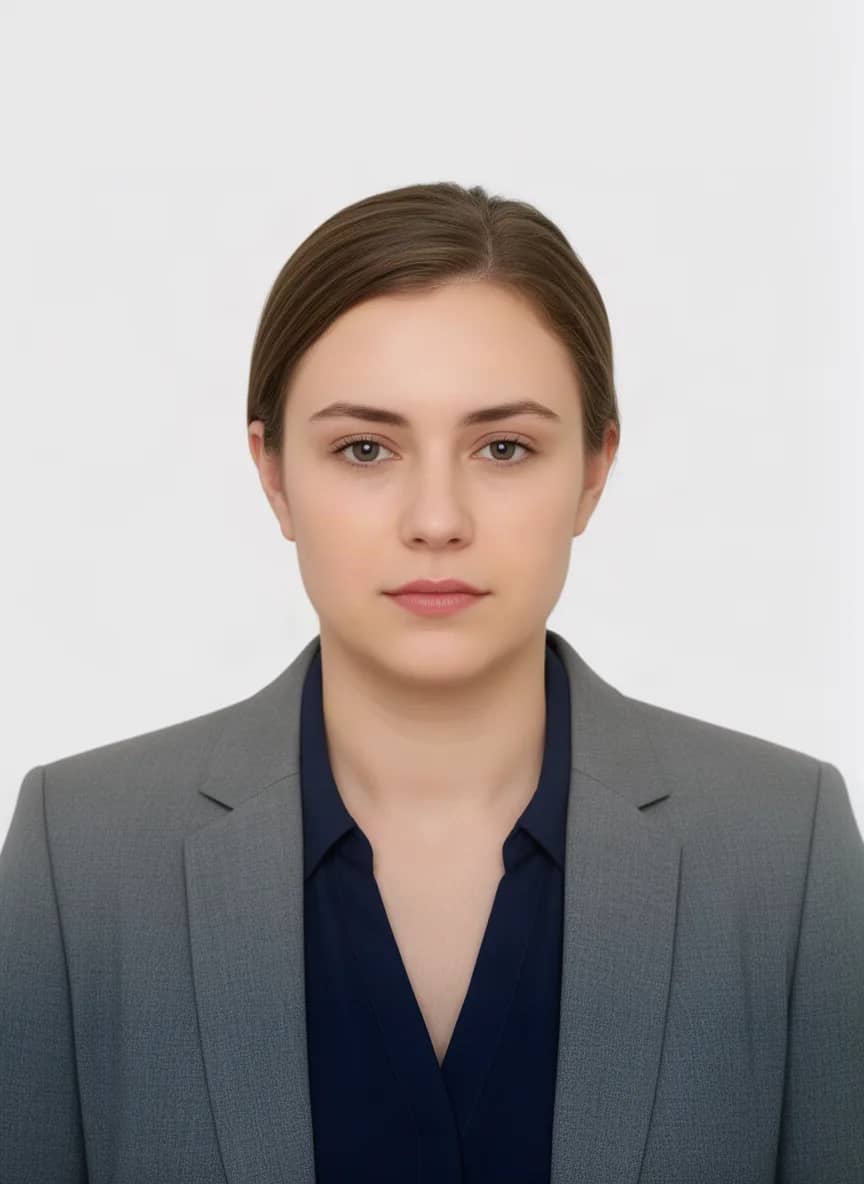
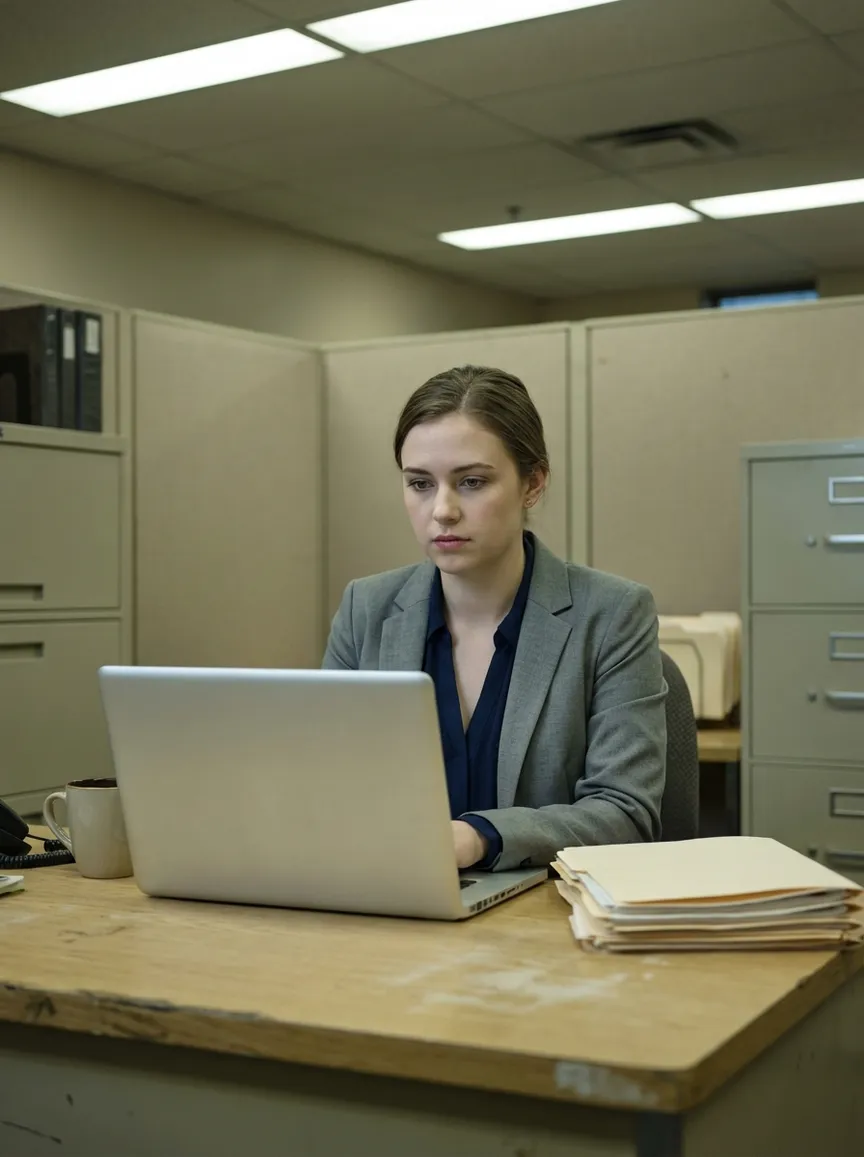
An office snapshot turned into a passport-style photo on a plain light background. Drag the slider to compare.
Try it now
Upload a clear, single-subject JPG, PNG, or WebP. The live OutfitGen tool opens here in your browser.
Why OutfitGen
Busy rooms and uneven light become a plain white or light grey backdrop with soft, even light on your face.
The photo is designed to keep your features, hair, and expression. A neutral expression is an opt-in setting, never the default.
The crop lines your head up with your country's size range when it can find it, and guide lines make fine-tuning easy.
Download at the size the application asks for, from 200 x 200 for a Saudi eVisa to 630 x 810 for India.
Six US photos or eight 35 x 45 mm photos on one standard print, with thin lines to cut along.
Eight countries plus a standard 35 x 45 mm option for most other passports.
How it works
Use a recent photo where you face the camera with both eyes open, your whole head visible, and some space around your shoulders.
Choose the destination so the background colour and photo shape match that country's passport or visa rules.
OutfitGen gives you a plain background, soft even light, and a centered head-and-shoulders frame while keeping your face as it is.
Fine-tune the crop against the country's head-size guide, then download the photo or a 4 x 6 print sheet.
Requirements by country
Each row links to the issuing authority. Checked on September 28, 2026. Pick a country below to open the tool with that size ready.
Canada asks for photos taken by a commercial photographer or studio.
Official rules: Government of CanadaNew Zealand does not accept selfies, so ask someone to take the photo.
Official rules: New Zealand PassportsNot listed? Most countries use a 35 x 45 mm photo. Choose “Other country (35 x 45 mm)” in the tool and check your passport office's current rules.
Made for real decisions
Get the size, background, and framing right for the country you are applying to.
Work badges, student IDs, gym cards, and membership cards all use the same clean head-and-shoulders look.
Use the same photo for a polished professional headshot with a new background and outfit.
Explore this workflow →OutfitGen uses your upload to create the result you asked for. It does not sell or publish your photos, use them in marketing without permission, or use them to train models.
Pricing
No account or credit card for your first 3 generations.
Free
$0
3 generations before signup
Plus
$5/mo
100 credits, no watermark
Pro
$15/mo
500 credits, highest-fidelity Pro mode
Studio
$49/mo
1,000 credits, priority processing
FAQ
Yes! Upload a clear, front-facing photo and pick your country. OutfitGen gives it a plain background, even light, and a centered head-and-shoulders frame, then crops it to that country's exact size.
The U.S. Department of State asks for a 2 x 2 inch (51 x 51 mm) photo with the head measuring 1 to 1 3/8 inches from chin to top of head, on a white or off-white background. OutfitGen exports it at 600 x 600 pixels, which prints at 2 x 2 inches at 300 dpi.
GOV.UK asks for a digital photo of at least 600 x 750 pixels on a plain light-coloured background. Printed photos are 35 x 45 mm with 29 to 34 mm from chin to crown. OutfitGen gives you the 600 x 750 digital file and a 4 x 6 sheet of 35 x 45 mm prints.
Passport Seva asks for 630 x 810 pixels for online upload, a white background, and a face filling 80 to 85% of the photo. Pick India and OutfitGen exports the photo at exactly 630 x 810 pixels.
Download the 4 x 6 print sheet and order a standard 4 x 6 photo print. One sheet holds six 2 x 2 inch US photos or eight 35 x 45 mm photos, with thin lines to cut along.
It is designed to keep your face, hair, and expression as they are, and to change only the background, light, and framing. If you want it, the Neutral expression setting relaxes a smile into a closed-mouth look.
The passport office makes that call. Rules change and some countries do not accept edited photos, so check the official page linked for your country before you submit.
Yes! Start with 3 free generations with no account or credit card. Free downloads carry a small OutfitGen.ai mark in the corner, and any paid plan removes it.
Your photos stay private. OutfitGen does not sell or publish them, use them in marketing without permission, or use them to train models.
Start in your browser with 3 free generations. No account, card, or app install needed.
Make your passport photo →Other ways to edit your photos with OutfitGen.
Professional headshots without a photographer.
Replace photo backgrounds in seconds.
Swap any outfit in your photo with AI.
Better Tinder, Hinge, and Bumble pics in minutes.
Try new hair colors and styles instantly.